New Ticket
Guide on creating new ticket
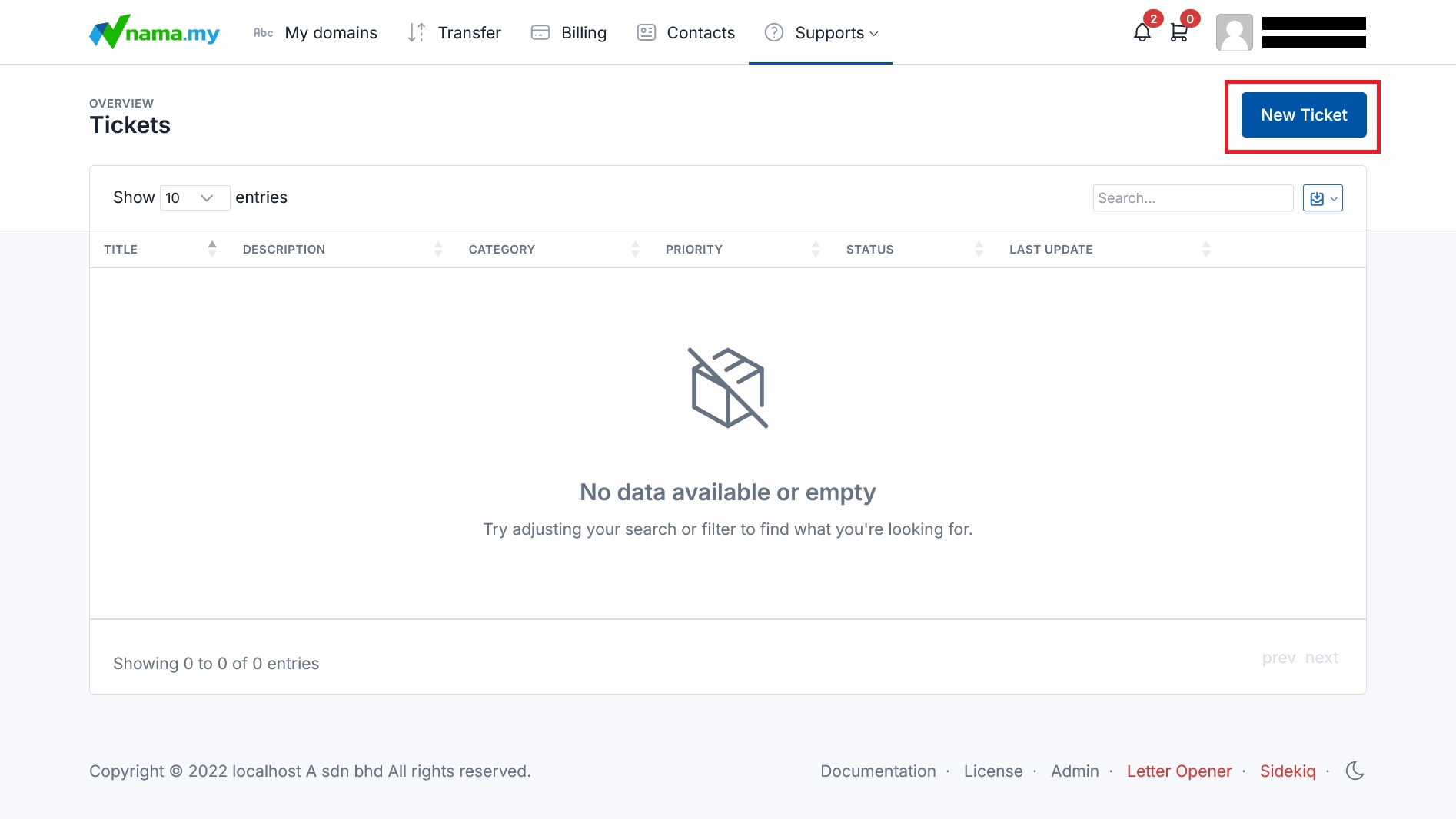
Navigate to Tickets Page: Click the "Supports" dropdown menu on the top navigation bar. Then, click "Tickets" from the dropdown menu.
New Ticket: Click the "New Ticket" button in the top right corner in "Supports" tab.
New Ticket Form
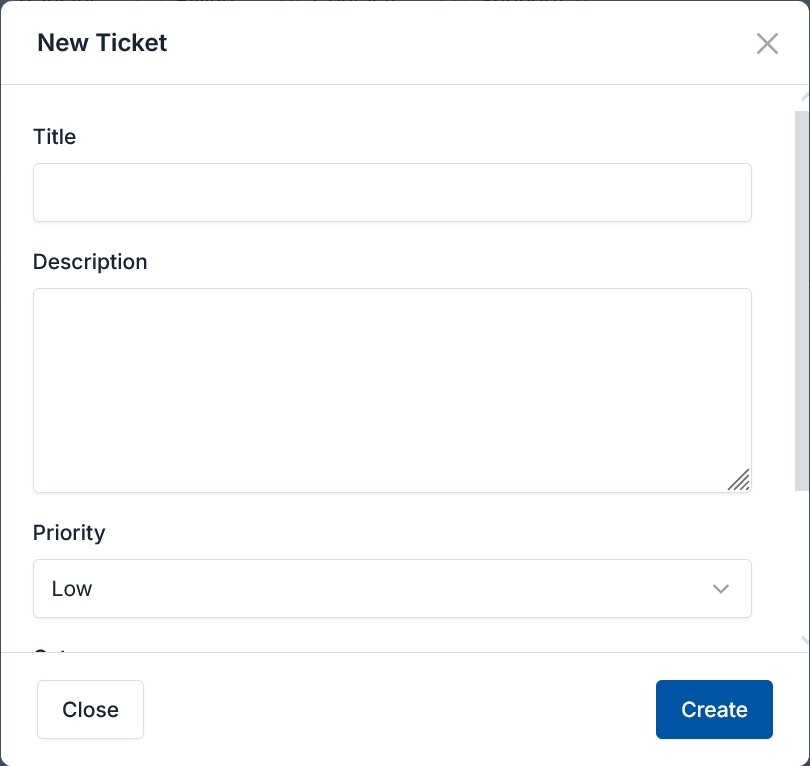
Title: Enter the title of your support request.
Description: Enter the details of your support request.
Priority: Select the level of priority of your support request.
Category: Select the type of support needed.
Create: Click the button "Create" to submit your support request.
Close: Click the "Close" button if you want to cancel your support request.